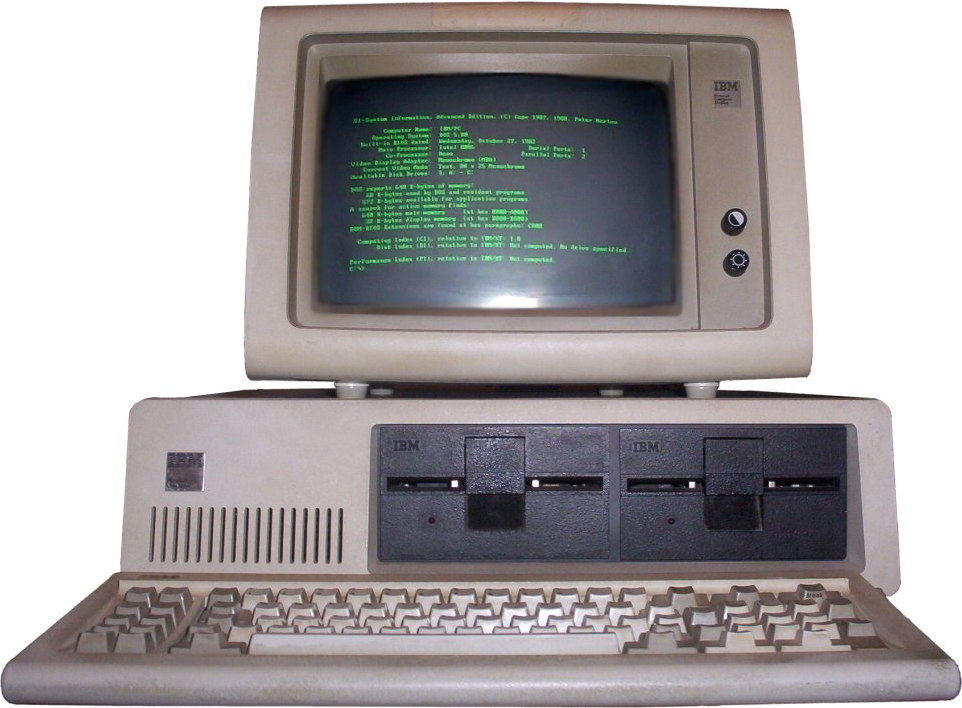
 The August 12, 1981 IBM launched the first PC of the story had a 20 MB hard drive, 16 Kb of RAM and a 11.5 inch screen in black and white and no graphics support (letters and numbers only.) Your keyboard offering 83 keys and some models also integrated 1.5-inch floppy drive. The operating system was IBM PC DOS (precursor of the famous MS-DOS) and offered connections to printers and other devices.
 By selling personal computer (PC) the computer became a handy utility that later we would rely on it. In early 80's and there were personal computers, but it was IBM who set a standard hardware and software and operating system from Microsoft.
PC A COMPARISON OF CURRENT AND THE OLDEST
First PC has De20 MB hard drive, a 16 KB RAM, a 11.5-inch screen and a IBM PC operating system PC DOS
current has a hard drive between 500 and 640 GB, RAM of 1 or 2 GB, a screen between 15 and 19 inches and a Windows XP operating system on today but you can install Linux or another as the different versions of Windows
current has a hard drive between 500 and 640 GB, RAM of 1 or 2 GB, a screen between 15 and 19 inches and a Windows XP operating system on today but you can install Linux or another as the different versions of Windows


